Where is my Slooply folder?
The Slooply folder is where all sounds added to your library are downloaded. The Slooply desktop app accesses your sounds from this folder. If the app isn’t linked to the correct folder, some features—such as drag-and-drop—will not be available.
When you download your first sound using the Slooply app, the folder will be automatically created in one of the following default locations, depending on your operating system:
- MacOS:
Macintosh HD/Users/[Your Username]/Slooply - Windows:
C:\Documents\Slooply
You can move the folder to a different location or rename it. If you do, make sure to update the folder path in the Preferences section of the Slooply app after making any changes. To access Preferences, click the icon in the top-right corner, open the dropdown menu, and select Account Settings.
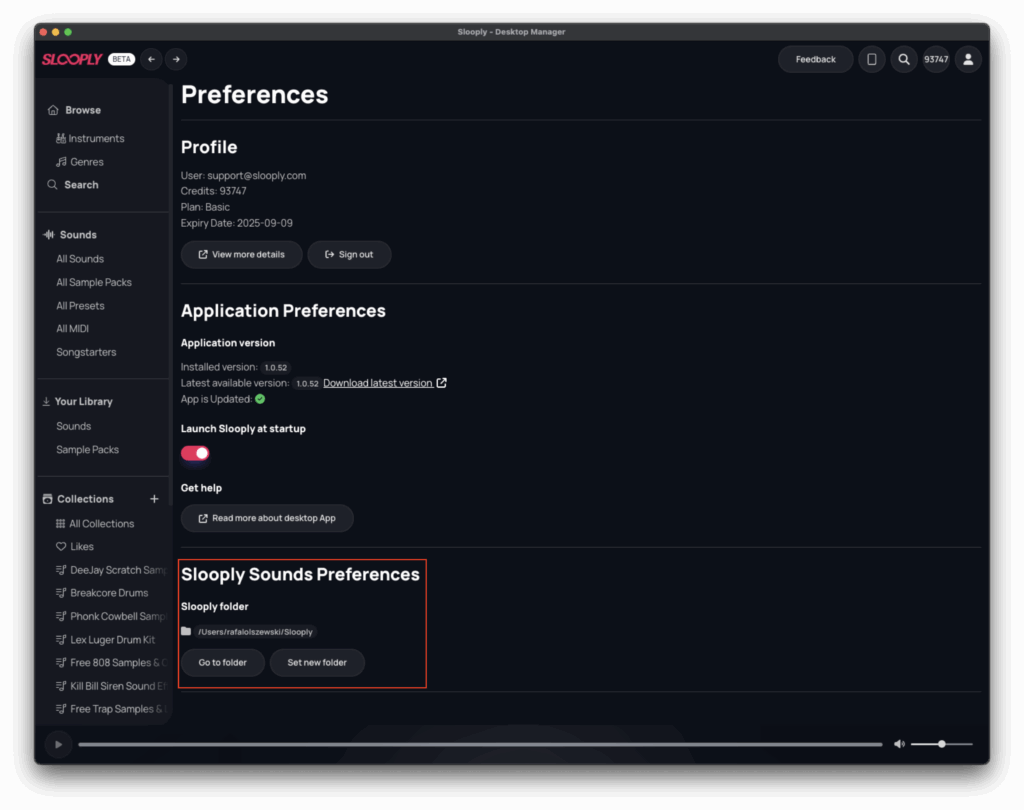
To open your Slooply folder directly in Finder (Mac) or File Explorer (Windows), simply click the “Go to Folder” button within the app’s Preferences.