How to change my payment method?
If your Credit Card or PayPal is invalid then please go to your Account > Plans & Credits > Select Subscription Plan. After selecting your plan, you’ll be redirected to the payment summary page, where you can update your payment method.
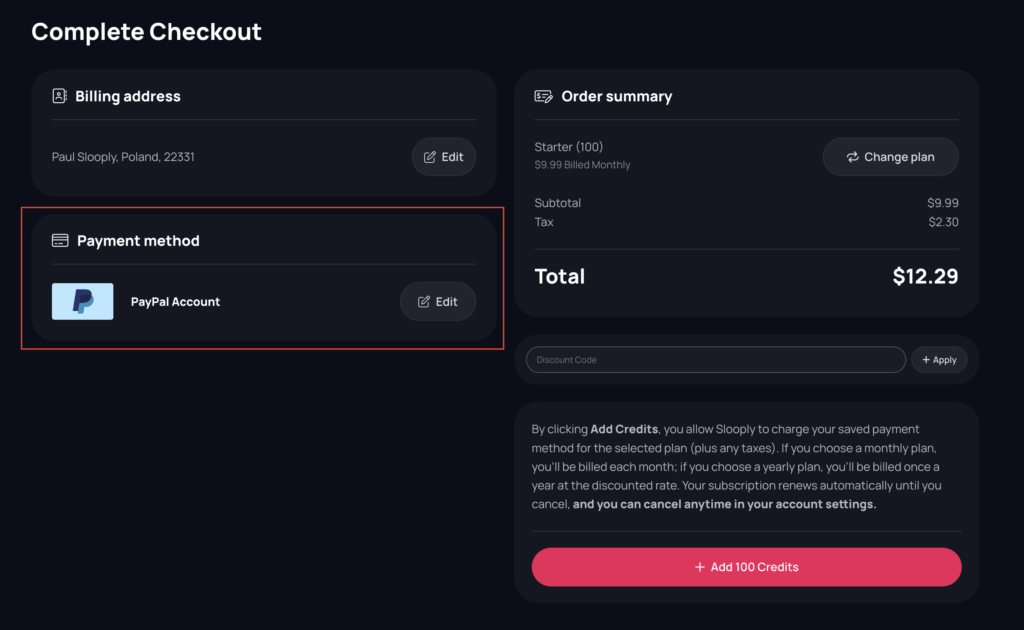
You can change credit card for a new one or change PayPal payment method to a Credit Card and conversely.
Credit Card:
If you want to remove your current card and add a new one, click the Edit button under the Payment Method section. A window will appear where you can update your card details. Enter your new card information (card number, expiration date, and CCV), then click Update. Your old card will be removed, and the new one will be saved as your active payment method.
PayPal:
If you want to change your PayPal account, click the Edit button under the Payment Method section. A window will appear where you can select your payment method. Choose the PayPal tab and click Update. You’ll be redirected to PayPal’s login page, where you can sign in and select your new account. Once completed, you’ll be redirected back to Slooply.com with your new PayPal account linked.
