How to generate certified license for 1 sample
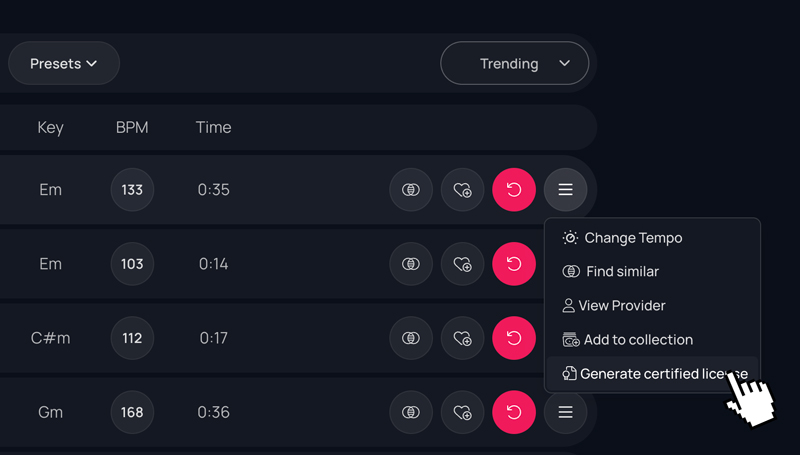
Go to the downloaded samples page. Account > Downloads. Click the three-line button on the right of the sound. From the drop-down menu, select “Generate certified license”.
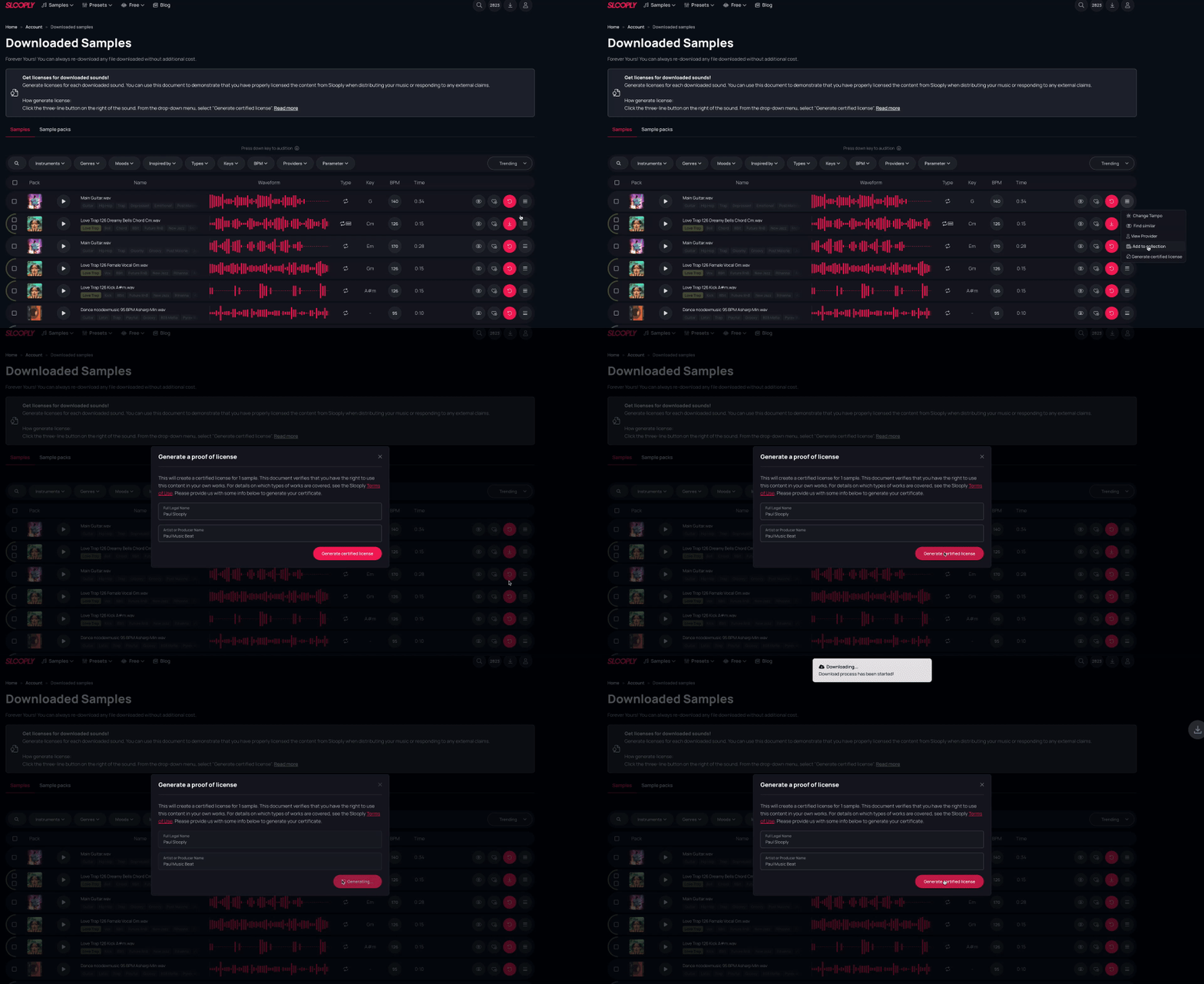
Then a popup will appear where you have to fill in your full legal name and producer name, and then click the pink button “Generate certified license”
You can use this document to demonstrate that you have properly licensed the content from Slooply when distributing your music or responding to any external claims.
Licenses can only be generated for users with a paid plan (Read more). The free plan permits the use of our sounds for personal purposes only.